When does a simple tool need a real backend?
A business app needs a backend the moment two people must see the same piece of information on different screens. If your staff member logs a completed job on a tablet, and the office manager needs to see that status update on a desktop computer five miles away, the data must travel through a central server.
Most simple tools do not need that complexity. We have written before about why you should keep the data on the device whenever possible. A personal mileage log, an inspection checklist for a single technician, or a warehouse stock counter can save everything directly to the device memory. Local apps open instantly, work without a mobile signal, and cost nothing in cloud hosting fees.
You cross the threshold into needing a backend when your operations rely on shared state or secure permissions. Typical examples include:
- A booking system where clients reserve time slots that must immediately vanish from the public calendar.
- A client portal where customers log in to view their own invoices and job progress.
- A shared rota where shifts are assigned by a supervisor and confirmed by staff.
- An internal tool that must process payments through Stripe or send SMS alerts via an external service without exposing your private account credentials to the public.
If your app does not need these things, the studio builds it with local storage by default. Nothing runs in the cloud, no database gets created, and you incur no cloud upkeep. The backend only springs into existence when your prompt specifically demands it.
The four parts of the appgnt backend
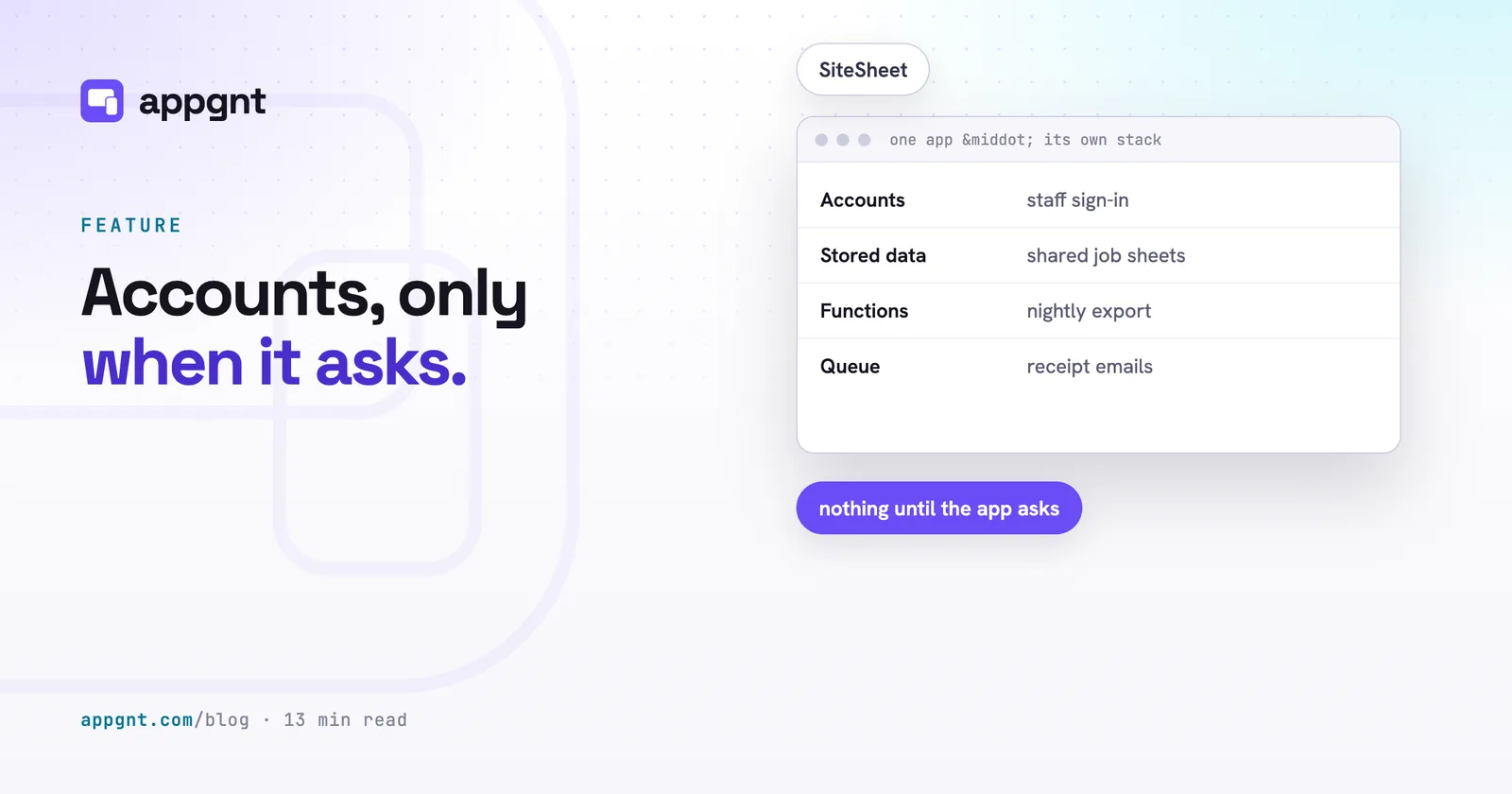
An appgnt backend consists of four concrete services provisioned specifically for your application. When your project requires a server, the agent defines these four components inside a small specification file:
First, accounts handle identity. Each app receives its own user directory. Users sign up with an email address and password, and the system handles email verification automatically. Because this directory belongs exclusively to your application, an account on your rota app has zero connection to an account on any other app.
Second, stored data manages your records. Your app gets a dedicated database divided into collections. A collection can be scoped to an individual user (such as private draft notes) or shared across the entire organisation (such as a list of active job sites). The system lets you set strict read and write rules, and you can assign an automatic expiry date to records so old logs clean themselves up.
Third, server functions run your private logic. These are small pieces of server code that run for up to sixty seconds at a time. They fire when an app makes an HTTP request, when a message lands in a queue, or on an automated schedule, such as running a report every morning at six o'clock.
Fourth, work queues manage tasks that must not fail if an external service is slow. Each queue sets failed jobs aside instead of losing them. If an email notification fails to deliver or an external web service goes down, the system retries the job cleanly in the background instead of freezing the user interface.
How your app data stays completely separate
Every backend is created separately for its own app. We do not use a single giant database table that relies on software filters to separate your client list from someone else's booking history.
Instead, the platform enforces isolation through cloud permissions. When your app makes a call to read or write data, the platform handles the request by temporarily assuming that specific app's cloud identity. It is physically impossible for the code in App A to reach across and query the database of App B, because the underlying cloud infrastructure rejects the request at the network and identity level.
This architectural choice matters for business owners. If you run a business handling sensitive customer records, client compliance teams will ask how their data is kept separate from other companies. You can tell them plainly that the separation is enforced by cloud infrastructure policies, not by an engineer remembering to add a safety check in an application script.
Keeping secret API keys out of the hands of users
Server code is required whenever an app needs to communicate with third-party providers using paid or private access keys. If you write an app that talks directly to an external payment processor or an SMS gateway from a phone screen, anyone with basic technical skills can inspect the network traffic and extract your private credentials.
To protect you, the studio stores external credentials in an encrypted secret store. You set your external API key inside the studio interface. That key remains strictly within the cloud environment.
When your app user hits a button to charge a card or dispatch an alert, the phone sends a basic command to your appgnt server function. That server function retrieves the secret key from the secure store, contacts the outside provider, processes the task, and sends a simple success message back to the phone. The customer gets their confirmation, the job finishes, and your API credentials never touch a mobile device.
Built for normal business jobs, not data warehousing
The backend is sized specifically for operational business software. It gives your team the capacity to run daily workflows without billing surprises, while deliberately avoiding the complexity of enterprise data warehousing.
| Feature | Standard limit per app | How a business uses it |
|---|---|---|
| Collections | 12 tables | Customers, bookings, staff profiles, inventory, site logs |
| Server functions | 8 functions | Payment processing, daily digest emails, inventory recalculation |
| Background queues | 4 queues | PDF generation, SMS alerts, webhook notifications |
| Secret keys | 8 API keys | Stripe, Twilio, SendGrid, accounting integrations |
| Daily traffic | 50,000 requests | Daily check-ins, job updates, schedule lookups |
A ceiling of fifty thousand requests every day allows a business with dozens of employees to log shifts, update statuses, upload reports, and check calendars continuously throughout business hours. It is not designed to run social networks, stream live video, or analyse terabytes of telematics data. Keeping the limits bounded ensures that the system remains predictable, cost-effective, and fast.
What the setup looks like in the studio
You do not write database schemas or configure cloud firewalls. You describe the operational behaviour of your business in plain English in the studio chat, exactly as you would when learning how to brief an app.
For example, you might write: "Staff need to sign in with their company email. Regular staff can only create and view their own daily site reports, but the site manager needs to see and sign off on reports from everyone."
The studio agent takes that description and produces a small backend specification in your project. This file explicitly defines the collections, sets the access rules, sets up accounts, and attaches any necessary server functions. The studio then deploys the infrastructure automatically.
Once deployed, the app uses a uniform software library to talk to the backend. It does not matter whether your team opens the software in a web browser, installs it as an application on Windows or macOS, or runs it on an iPhone or an Android phone. The exact same data and login logic run across all versions. Because you own the code, the underlying source files remain an ordinary, standard project that your team can inspect or export at any time.
Deciding who can see what before you build
The most common trap business owners encounter when building a shared app is vague access permissions. A local app is simple because whoever holds the phone sees everything. A shared app requires you to make decisions about organizational boundaries.
Before you ask the studio to build a shared backend, sketch out the answers to three plain questions:
First, who has permission to create new accounts? Decide whether sign-ups are public to anyone who downloads the app, or restricted to employees whose accounts are created manually by an administrator.
Second, who owns each record? Decide whether a completed job sheet belongs strictly to the worker who logged it, to the team assigned to that job, or to the entire company.
Third, what happens when a record changes? Decide whether staff members should be able to edit past logs, or whether an entry becomes read-only the moment it is submitted to management.
Telling the studio agent these operational rules upfront prevents messy rebuilds later. When the agent understands who can read and write each piece of information from the start, it writes clean permission checks into the backend specification on the first turn.
What is still being built
The backend service covers the core requirements for running operational tools, but a few areas are still in active development.
Direct file uploads for end users are being completed next. While you can store text data, numbers, statuses, and configuration records, storing large photos of job sites or signed PDF contracts directly in your app's cloud database requires attached file storage. That pipeline is currently being finalised.
We are also adding a live polling feed for background data changes. At present, an app updates its records when a user navigates to a screen or refreshes a view. A live updates endpoint will let screens update themselves automatically the instant another worker changes a status somewhere else.
Finally, the studio's visual Backend pane is in progress. The underlying cloud API works right now, and the agent builds and deploys complete backends through conversational prompts. The visual management screen inside the studio interface will arrive shortly, giving you a direct graphic view of your collections, queues, and user accounts alongside the chat.
Frequently asked questions
Can my staff use the same login across two different apps I built?
No. Every app gets its own isolated user directory in the cloud. An account created on your staff rota app does not exist on your inventory tracking app, which keeps each tool secure and independent.
What happens if our app hits the daily limit of fifty thousand requests?
The app will reject further requests until the daily count resets at midnight UTC. This ceiling is generous enough that normal business operations with dozens of active staff members rarely approach it during a regular working day.
Do I need my own cloud hosting account to use an appgnt backend?
No. The platform provisions, maintains, and secures the backend for you automatically. If you ever decide to export your project and host the app entirely on your own servers, you can download the complete source code and rebuild the cloud configuration independently.
How do I invite employees to an internal company app?
You can brief the agent to set up an admin portal inside the app. Once built, a manager signs in, enters a staff member's email address, and the backend sends out an automatic registration email containing a verification link.